 Freediver
How to Plan and Execute Static Apnea Training with freediver.club
Plan your static apnea session in freediver.club, then execute it however works best for you — on Apple Watch, Garmin watch, Suunto watch, or directly in the app. No time limits, no fees.
Static apnea (STA) is one of the hardest disciplines to train on your own — there's no distance to count, only time, stillness, and your own mind. freediver.club lets you plan the exact structure of a session in advance, then execute it however suits you best: directly in the app or with a watch on your wrist.
Planning a Static Apnea Session
In the freediver.club planner you build a static workout the same way as any other — add exercises, set the discipline to STA (static), enter the hold time and rest time between reps. You can build sessions of any complexity: from a simple 5×2:00 set to a progressive protocol with increasing times and variable rest.
Sample session
Training Mode in the App
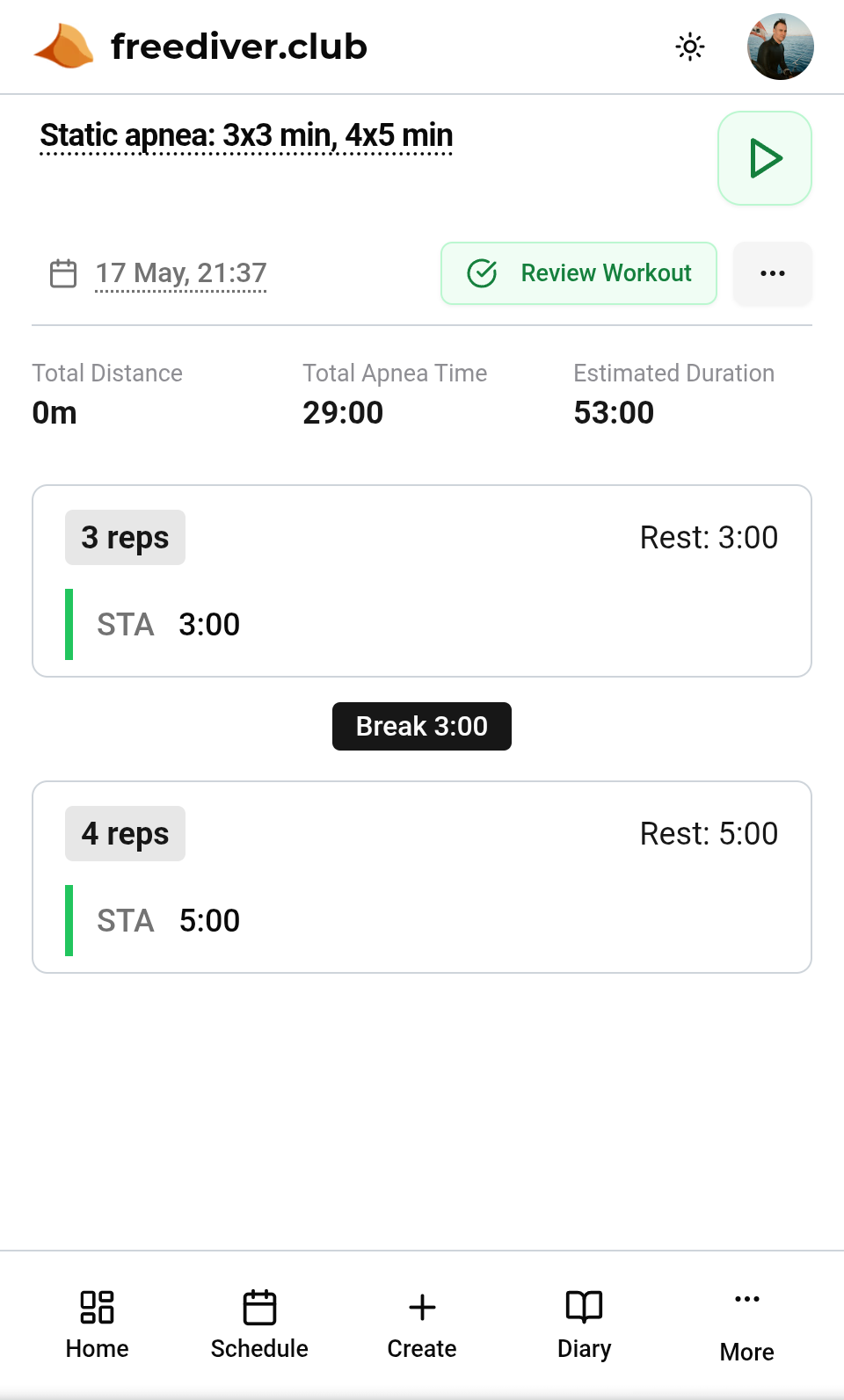
Planned static apnea session ready to start
freediver.club has a built-in training mode — launch it directly in the browser on your phone or tablet and place the device at the poolside. Once started, the session runs fully automatically: the app counts down the hold, automatically transitions to the rest countdown, and signals the start of the next hold when the rest ends. No tapping required — you focus entirely on the breath-hold.
Start training mode by tapping the button next to the workout name (top right, as shown in the screenshot above).
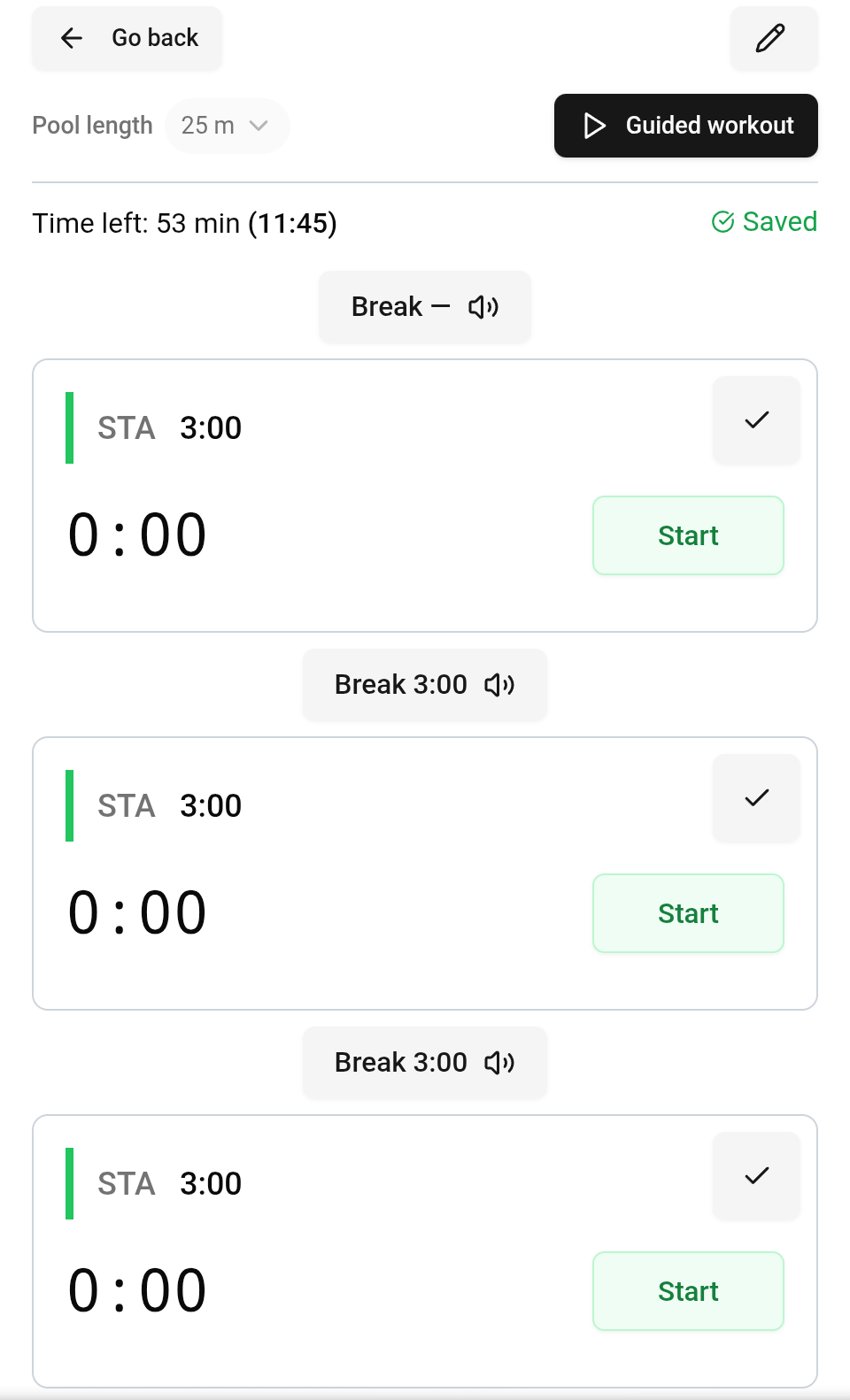
Training mode screen — large timer visible from a distance
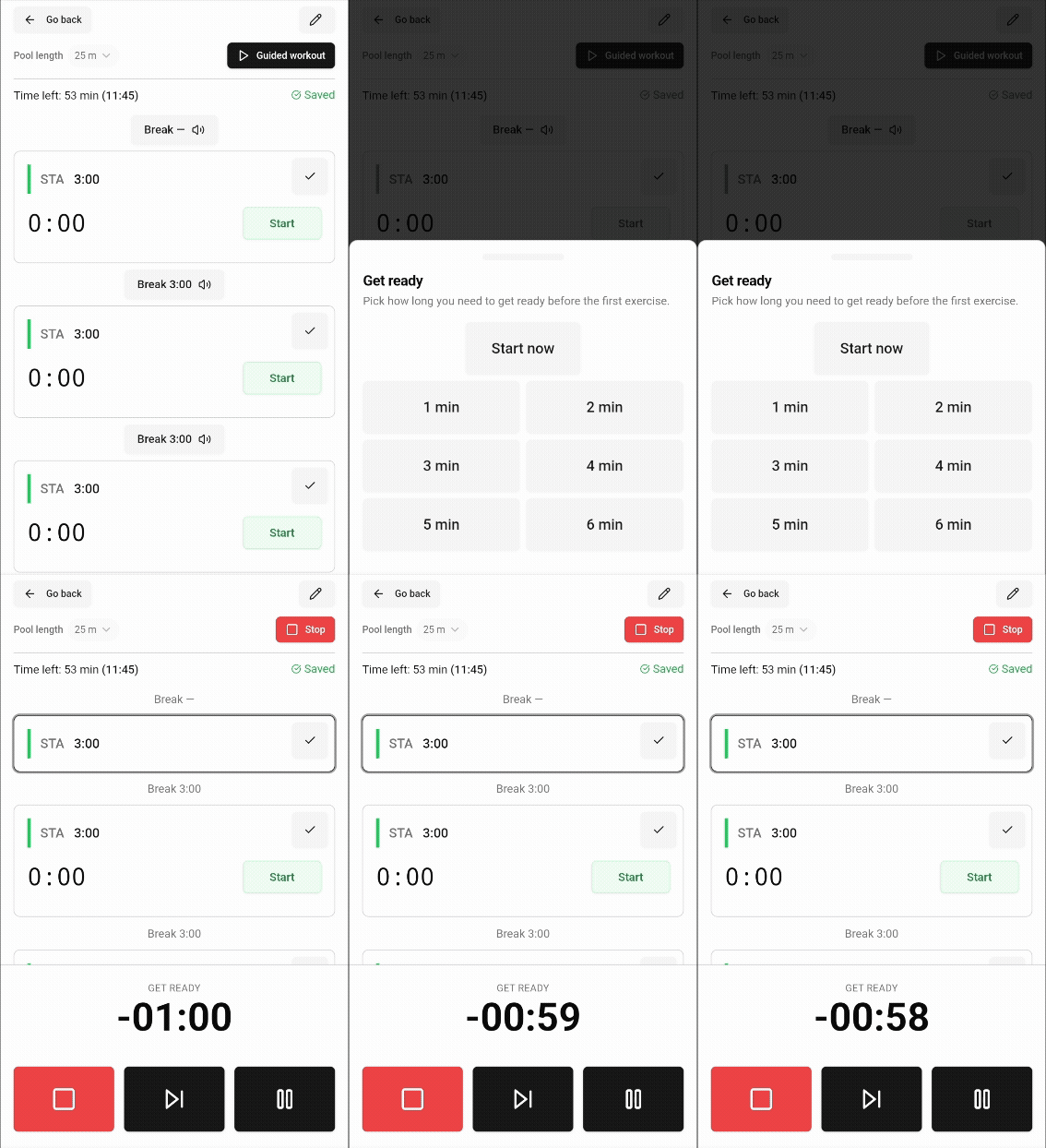
Starting a session — one tap and the app takes over automatically
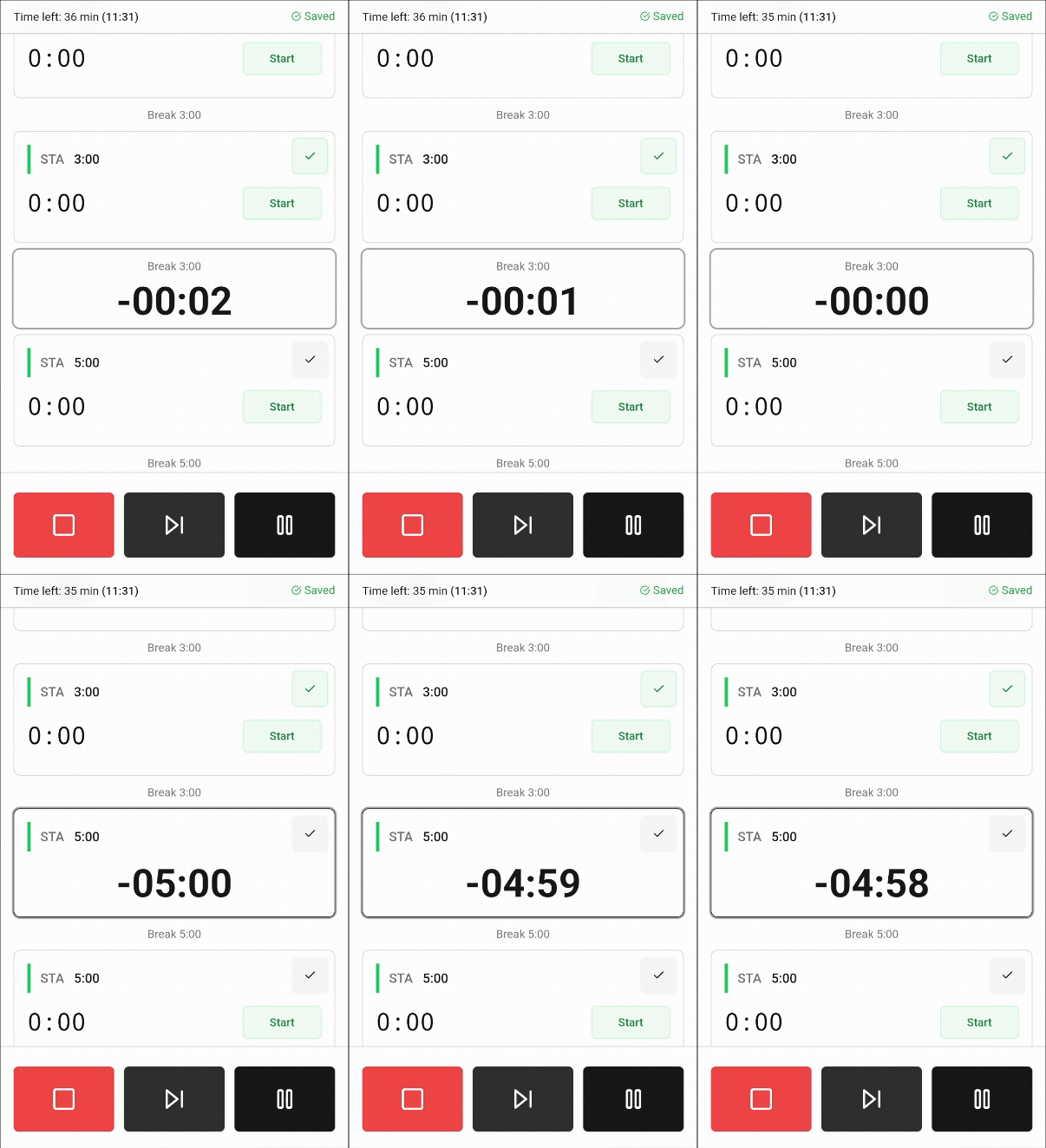
Automatic transition from breath-hold to rest countdown
- ›Large, readable timer — visible from poolside distance.
- ›Automatic hold-to-rest transition with an audio cue at every stage change.
- ›Rest intervals counted according to official AIDA or CMAS standards — selectable in your profile.
- ›Additional audio alerts at any interval during the hold — e.g. every minute so you know how much time has passed.
No time limits, no fees
Core features of freediver.club are and will remain free. That includes static apnea training with no limit on individual hold duration — unlike many competing apps that cap hold time behind a paywall. Whether you're holding for 2 minutes or 8, the app guides you through the full session without restrictions. This applies to watch sync as well.
Running Workouts on Devices
Prefer training from your wrist? freediver.club works with Apple Watch, Garmin watches, and Suunto watches. Same plan, same structure — the watch guides you through the session with vibrations.
Apple Watch
The freediver.club app for Apple Watch guides you through your session directly from your wrist — no phone needed at the pool.
- ›Workout syncs automatically from iPhone to watch.
- ›Vibration at the start of each hold and end of each rest.
- ›Vibration alerts at any interval during the hold — e.g. every 30 seconds.
- ›Results sync automatically to your training diary after the session.

Learn more: Introducing the Freediver Apple Watch app.
Garmin Watches
freediver.club sends your workout directly to Garmin Connect. From there it lands on your watch at the next sync.
- ›In the workout details, select "Send to Watch" → Garmin.
- ›Find the workout under Scheduled Workouts on your watch.
- ›Vibrations at hold-to-rest transitions — configure in your profile.
Full guide: How to sync your Garmin with freediver.club.
Suunto Watches
Suunto watch owners can connect their account in the freediver.club profile and sync workouts the same way as Garmin.

- ›Connect your Suunto account under Connections on your profile page.
- ›Send a workout to Suunto with one click from the workout view.
- ›Watch vibrates at hold-to-rest transitions as planned.
Full guide: How to sync your Suunto with freediver.club.
Ready to start? Log in at app.freediver.club, create your first static apnea session, and choose how you want to run it.
Bartosz Jakubowiak
17 May, 2026 • 4 min read